

As schools integrate digital tools into classrooms, understanding key terms like gamification, asynchronous learning, and adaptive software is essential for parents navigating modern education. This overview demystifies the jargon and explores how these innovations support effective learning.
Parents trying to make sense of school technology are often confronted with a thick layer of jargon. Terms that sound technical and intimidating usually describe fairly ordinary classroom practices: learning in short bursts, working online at different times, or using software that changes difficulty based on a pupil’s answers. Stripped of the buzzwords, most of it is simply about how schools mix digital tools with teaching.
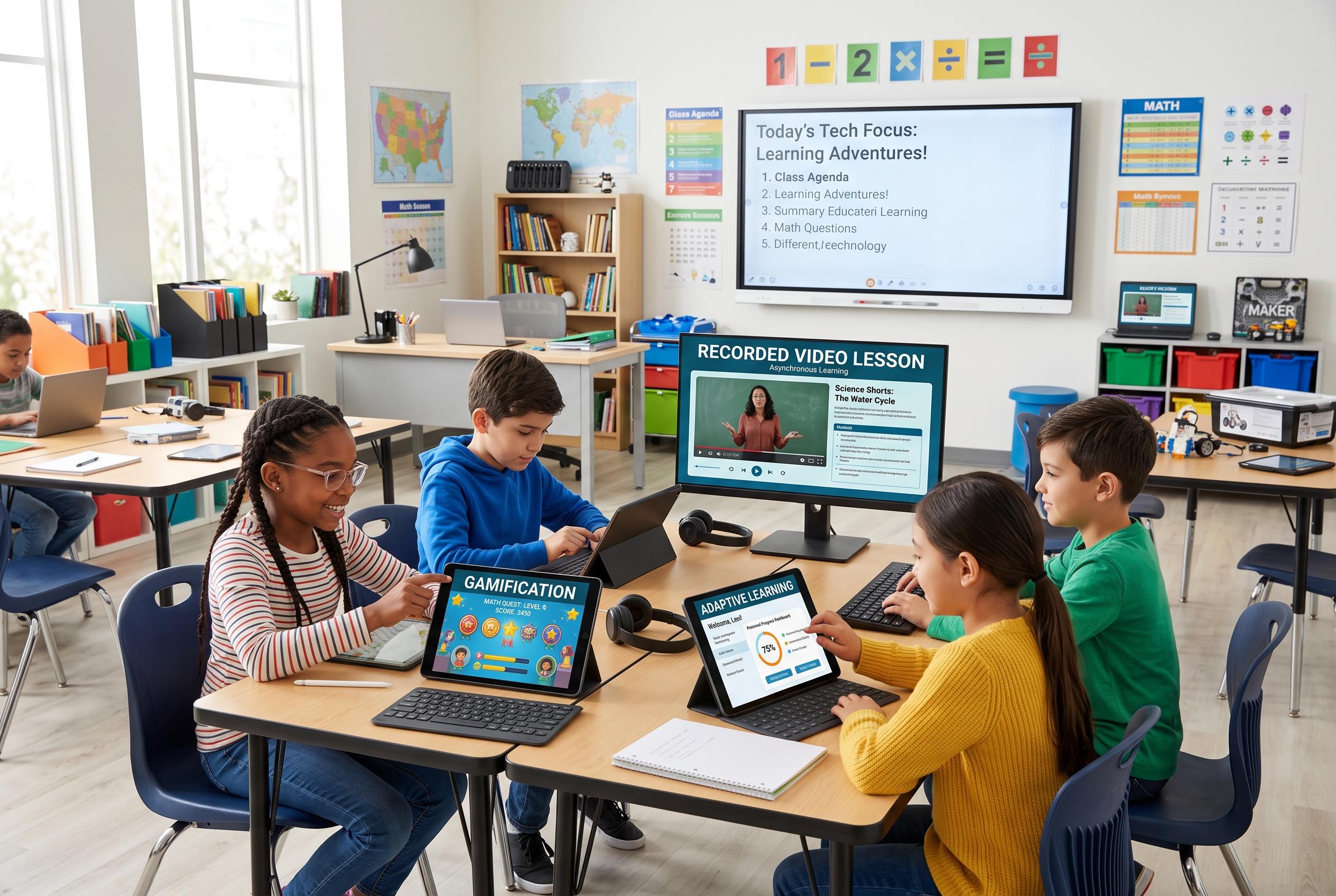
One of the most common terms is gamified learning, which means using points, badges, levels or similar game-like features to make practice feel more engaging. Gamification blogs note that effective versions do more than hand out rewards; they build clear goals, feedback and progression into the task. The best examples, such as classroom uses of Minecraft: Education Edition or language apps like Duolingo, tie the game elements to real learning rather than decoration.
Two other phrases parents hear often are asynchronous learning and synchronous learning. According to teachers.institute and Techtarget, asynchronous learning takes place without everyone being online at the same time, allowing pupils to watch recorded lessons, post on discussion boards or finish work at their own pace. Synchronous learning is the opposite: teachers and pupils meet in real time, whether in a physical room or via video call. That distinction matters because many schools now mix both approaches as part of a broader digital teaching model.
Blended learning and the flipped classroom are part of that same shift. In a blended model, teachers combine face-to-face instruction with online activities. A flipped classroom goes a step further by moving direct teaching, such as watching a short video, into homework time and reserving class time for discussion, projects and problem-solving. Supporters argue that this gives teachers more room to coach pupils individually, while critics say it depends heavily on access to devices and reliable internet at home.
Other terms describe how software responds to children rather than how lessons are delivered. Adaptive learning tools adjust the level of challenge based on a pupil’s answers, while scaffolding software offers temporary help such as hints, prompts or audio support and then gradually removes it as the child improves. These systems are meant to keep pupils from becoming bored or overwhelmed, although they work best when teachers still monitor how a child is progressing and intervene when needed.
Schools also rely heavily on learning management systems, or LMS platforms, such as Google Classroom, Canvas and Seesaw. These systems act as a central hub for assignments, resources, grades and messages. Alongside them are digital literacy and digital citizenship, two terms that are often used interchangeably but are not quite the same. Digital literacy covers the ability to find, assess, create and share information safely online, while digital citizenship adds the wider rules of behaviour, including privacy, cyberbullying awareness and respect for copyright.
Not all of the jargon is about instruction. Formative assessment refers to the quick checks teachers use during a lesson to see whether pupils understand the material, often through polls, quizzes or exit tickets. Social-emotional learning apps aim to build self-awareness, empathy and decision-making. Microlearning breaks larger ideas into short, focused lessons that can be finished in minutes, making revision easier during short study sessions. Open educational resources, meanwhile, are free teaching materials that schools can legally reuse and adapt, which can reduce costs for families and classrooms alike.
Parents are right to be especially cautious when schools collect student data. COPPA, the Children’s Online Privacy Protection Act, and FERPA, the Family Educational Rights and Privacy Act, set limits on how children’s information can be gathered and shared. Legitimate school platforms should protect data, restrict access and avoid selling information to advertisers. When schools introduce new apps, the most useful questions are often the simplest: which tools are required, how much screen time is expected and whether parents can track progress through a portal or email updates.
In the end, the value of educational technology lies not in the jargon but in how well it supports learning. The strongest tools do not replace teachers or parents. They help children practise more effectively, receive timely feedback and build confidence while keeping human guidance at the centre of the classroom.
Disclaimer: This content is for informational purposes only and is not intended to be a substitute for professional medical judgment, advice, diagnosis, or treatment.