

A shift in AI-driven classroom resource creation is allowing educators to design personalised, practical materials that meet children’s specific routines and languages, moving away from generic templates towards tailored learning tools.
What most educators need from AI is not more content, but a better fit. The useful printable is not the one with the most pages or the slickest theme; it is the one built around a child’s real need, a setting’s real routine and a family’s real language. That is the simple shift at the heart of AI-made classroom re
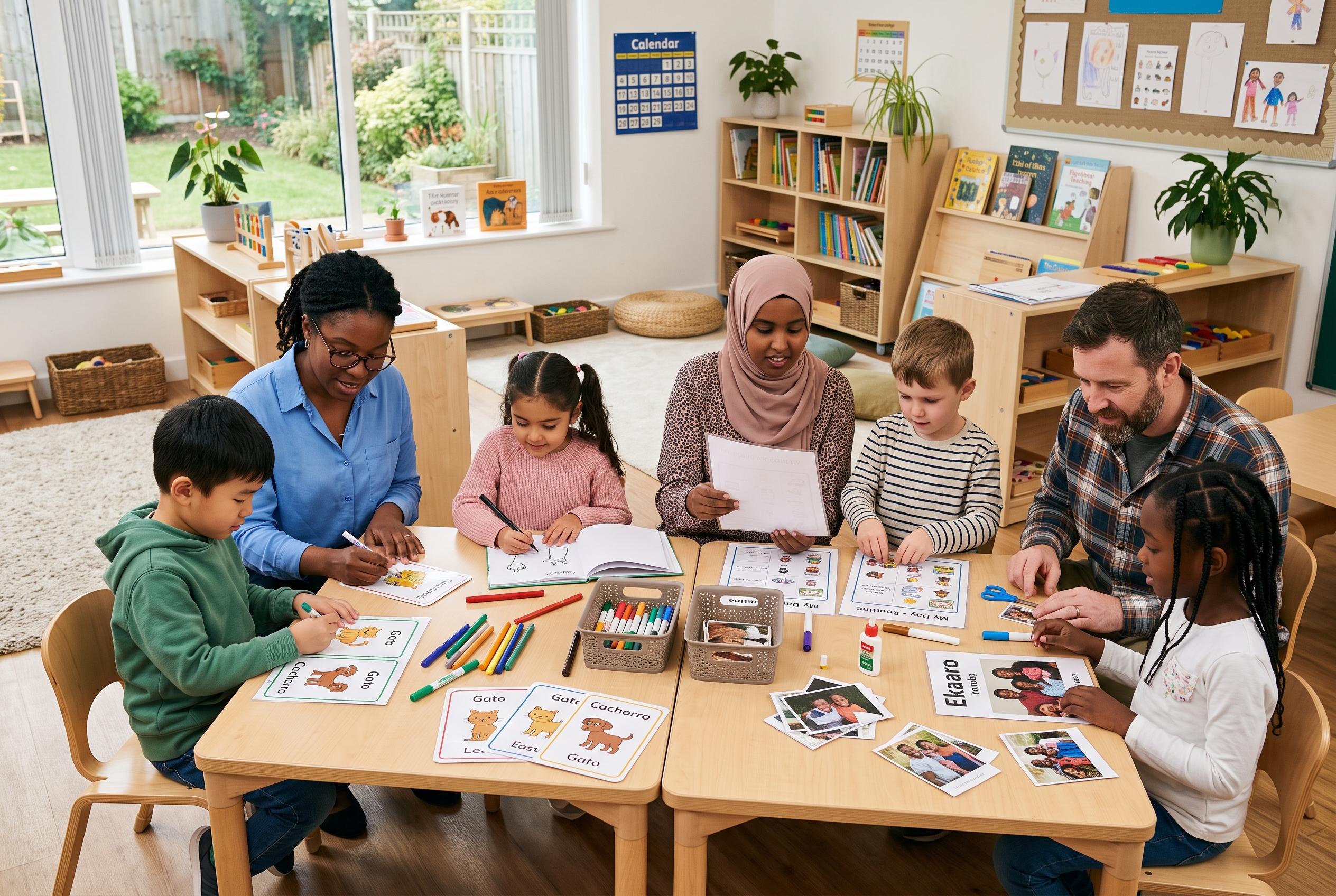
Too often, teachers and carers have settled for almost-right packs because the ready-made option was the only practical choice. A visual routine might show the wrong activity, use the wrong word for a local setting or arrive as a bulky download when only a few cards are needed. AI changes the starting point. Rather than forcing the child to adapt to the resource, educators can now ask for a resource that adapts to the child.
The most effective prompts begin with observation, not theme. Instead of asking for a generic dinosaur sheet, the teacher can describe the child, the moment and the task the printable must support. That approach matters in family day care, preschool and early primary classrooms alike. A transport card set built around the weekly recycling truck, for example, will be far more useful than a broad transport pack with one truck hidden among dozens of unrelated images.
Using AI well also means keeping the workflow simple. A growing number of educator-focused platforms, including EduConnect, GogyAI and Didaktos, now market themselves as quick ways to generate lesson plans, worksheets, assessments and other classroom materials. But the strongest workflow still looks modest: one AI tool to draft ideas, images or wording, then a design tool such as Canva to lay everything out. In practice, that often means letting the AI create the objects and scenes while the educator types the labels, checks the spelling and chooses the language that suits the children.
That distinction becomes especially important when photographs are involved. Some children respond best to real images, particularly when a resource is meant to help with routines, transitions or additional learning needs. The issue is not photographs themselves, but how they are used. Australian early learning services are operating under updated National Quality Framework rules covering digital technologies, online environments and the taking, storage and destruction of images and videos of children, with further device restrictions tightening from 27 February 2026. Privacy guidance from the Office of the Australian Information Commissioner also cautions organisations against entering personal information into public AI tools.
A safer approach is to let AI create the structure, then add approved photographs through the service’s normal process. Blank cards with empty photo spaces can be printed first, with the child’s image inserted later where the policy allows it. That keeps the AI tool away from identifiable information while still allowing educators to use the familiarity of a real object, place or face when that is educationally appropriate.
Language resources need the same care. AI can help draft translations, but it should not be treated as the final authority. A word that is technically correct may still sound unnatural, formal or simply wrong to a family who uses a different everyday term. The best practice is to use AI to organise the task, then check the result with families. In that sense, the resource is not finished until the home language has been confirmed by a fluent speaker.
The same principle applies to story props and felt board sets. AI can dramatically reduce the time it takes to draft a simple repeated-line story, sketch the scenes and generate cut-out pieces. But the educator still has to read the story aloud, test the repetition, count the objects and check that every piece is actually there before printing. Once the children get hold of it, they will usually reshape it anyway, and that is the point. A resource has done its job when it enters play, not when it looks polished on screen.
Checking the output before printing matters just as much as prompting well. The tool may put the bottle in the wrong place, change the colour of the frog halfway through a set or quietly add extra items that are not needed. If one card is wrong, it is usually better to remake that card than discard the whole set. The final test is still the children’s response: do they use it, ignore it, move it around or make it their own?
For educators tempted to generate everything at once, restraint is part of the method. Replacing one unused folder of purchased printables with a larger folder of unused AI printables is no improvement at all. The better habit is to solve one genuine problem, make the smallest workable resource and watch what happens next. Once that version is in the room, the children will tell you whether it belongs there.
Disclaimer: This content is for informational purposes only and is not intended to be a substitute for professional medical judgment, advice, diagnosis, or treatment.